Backstory - Thinkpads and me
How did our glorious hero fall into the ThinkPad rabbit hole?
Well, it all started in 2021, a little after adopting Linux as my only OS (I use arch btw). I was enjoying the new life of my Ideapad…which did not last very long.
During the pandemic I developed the horrible habit of going to bed with my computer, which prompted me to wake-up in the middle of the night with a loud THUMP of my computer hitting the floor.
And now dear reader you think: Did he change this habit after the computer falling too many times? I absolutely did not!
All this accumulated damage and fatigue started wearing on the chassis, particularly on the side of the power port. By the time I was finishing the Algorithms and Data Structures course at the end of the second year’s first quarter I was using the Ideapad with a large metal clamp to ensure the connectivity of the charger (the battery also started to wear off by this time - as the computer had run a 6.5 year cycle of daily use and abuse).
I did not need much convincing about having to retire this laptop, however I did have to convince others that replacing it by a Thinkpad from 2013, bought from a government official, by the cheap price of a little over 100€, was in fact a good idea. That’s how I acquired the T430 (Khâzad-Dûm) Thinkpad, which I daily drove for the remainder of my BSc and MSc.
“But you’re talking about a T430 Thinkpad, how did you get the x200?”
Fun story: This X200 (Aglarond) was bought as a Linux replacement for Martim after we (presumably) fried his old Linux laptop while trying to upgrade it (we in fact did not, we only super-charged the security capacitors, and therefore that same computer was restored a year later). And so this X200 was bought as a joint venture where Martim contributed 25% of the moolah and I contributed 75% (I felt bad for having (presumably) fried his PC at the time - a guy has feelings).
The X200 and me
Honestly, I have kinda been an absent father to the X200, with this machine being used by Martim for around 75% of its lifetime.
As I regularly upgraded the T430: new battery pack, new screen, dock station, installed a corebooted MoBo on it…you name it!
Damn did I enjoy the heck of it. It is still my favourite machine.
But…
But when it came to travelling I was craving something lighter, something more portable, like a 12’’ Thinkpad for example :)
Also the T430 hinges have this problem where they break and it’s a pain to replace them.
And so, like the Don Corleone to the undertaker Bonasera, I asked Martim for a favour…For the X200 to come into my possession for some time.
Although I like to joke that the T430 was my back and leg workout, I soon understood why the classic X-series is so famous - this guy is seriously ultra portable, I don’t even feel it in my bag! It’s amazing!
Why upgrading it?
Although the X200 is an ultra-portable machine, it is not a very powerful one.
This guy was released in 2008, just to put into perspective:
- The global financial crisis had started
- It was the year that Obama was first elected
- CERN launched the LHC
- Google Chrome was released
- The first Android phone was released
In Portugal:
- José Sócrates was still prime-minister
- The Magalhães laptop was released in Portugal
And most importantly:
- I was 6 years old :D
So yeah, 2008 was a long time ago….And so the x200, as the SOTA machine it was, came with:
- CPU: Intel Core 2 Duo
- RAM: 1–4 GB DDR3
- Storage: 160–320 GB HDD
- OS: Windows XP Professional
- WiFi card: A 802.11a/b/g/n, 300 Mbps Intel 5100
- A damned modem port
Of course, the x200 did not come to our hands with all this junkware, by the time it came into our possession it had 4GB of RAM and a shoddy SSD (those that are basically a USB pen drive inside).
The Plan (?)
I think Martim replaced the shoddy SSD, but, since the X200 was his Linux work machine there were not many more upgrades during Martim’s era.
But when it came to João’s era, all inhibition was lost:
- The RAM was upgraded to the maximum of 2xR8 8GB (it had to be 2xR8 sticks)
- Eventually I started driving Khâzad-Dûm’s SSD too (2TB Samsung beast)
- The Core Duo CPU is soldered…so the Motherboard had to be upgraded to a x201 one
- The WiFi card update was a must, as those doodoo download and upload rates weren’t cutting it
And now my watch begins
The MoBo Upgrade
The most recent MoBo upgrade you can do is to the x201 motherboard (No I was not going to spend 2000$ for those custom made chinese Motherboards that convert a x200 into a machine from the 2020’s).
This machine has some considerable upgrades to the x200 namely the CPU, which is normally a 1st gen Core i5 with Hyper-Threading. Basically better compile times, better internet browsing, possible better “gaming” (I only play Doom, Doom 2, Slay the Spire….and sometimes TF2).
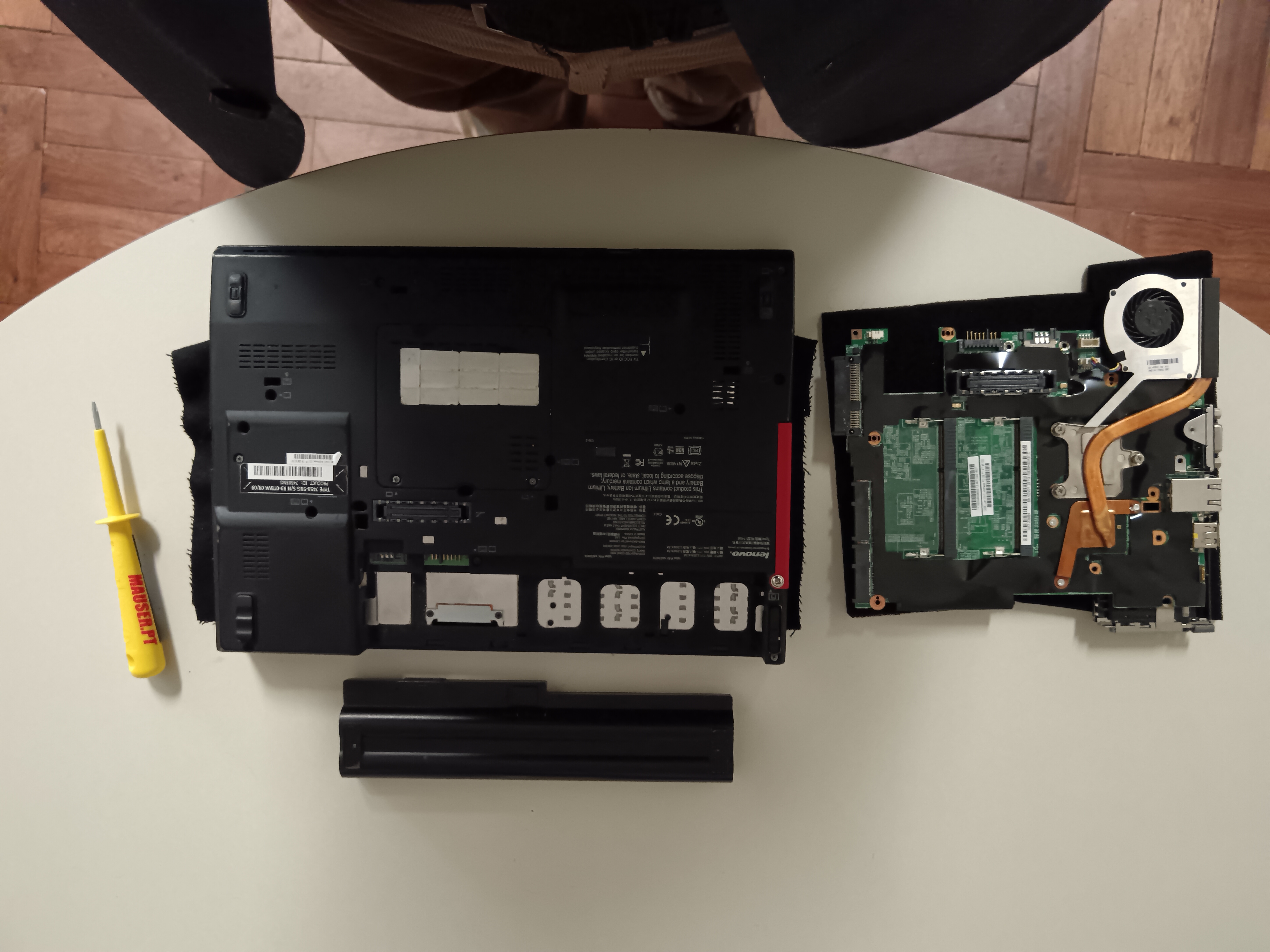
The teardown was easy enough, as I reached the MoBo in no time.
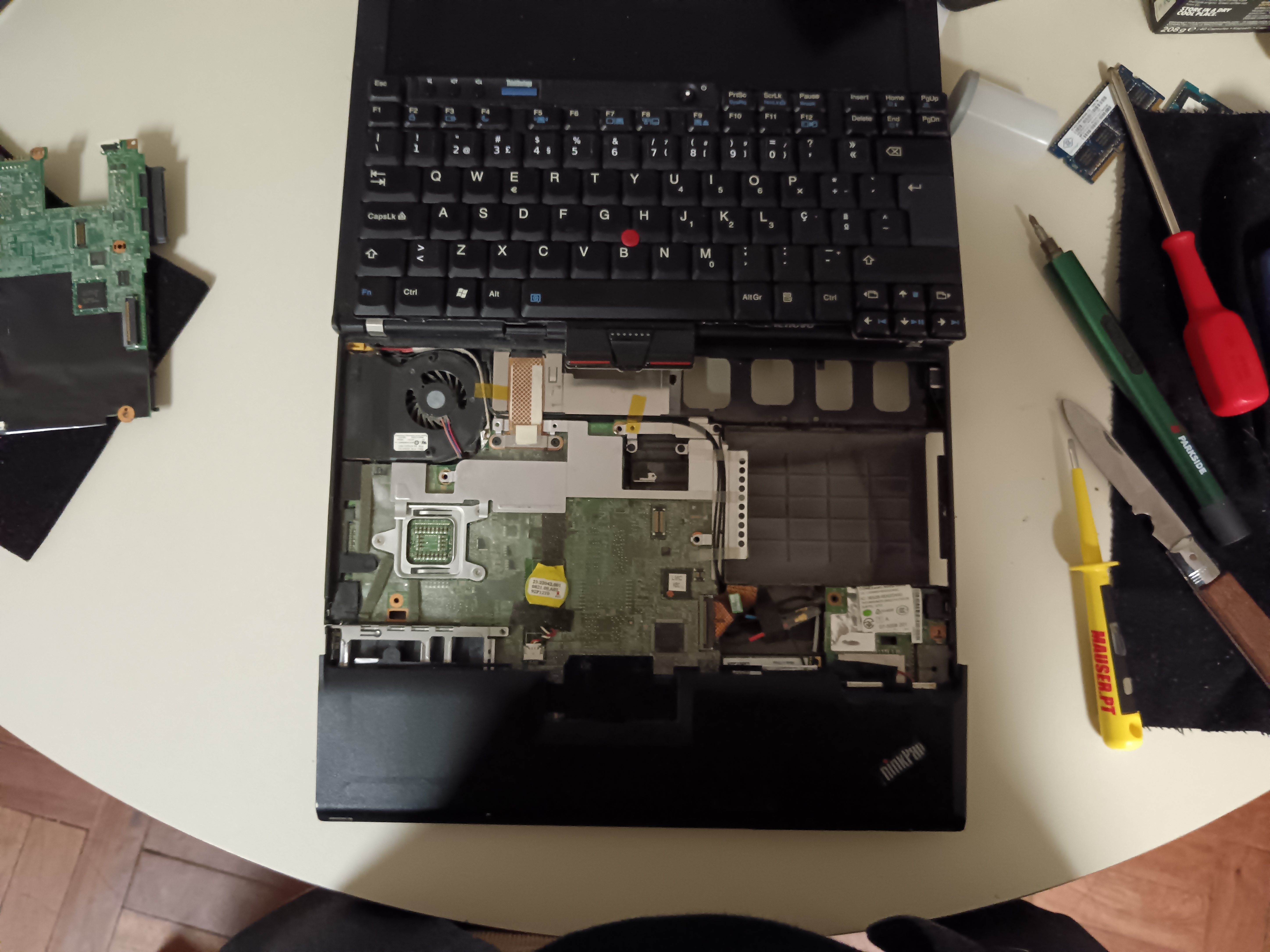
As I prepared to transplant the new board, something did not feel quite right, there were a lot of screw holes that were out of place, and the heatsink which I made sure was compatible between x200 and x201…was not really compatible (I just took the beefy fan and screw it to the old heatsink, thankfully the fan connectors were compatible) I propped everything for boot and….It booted
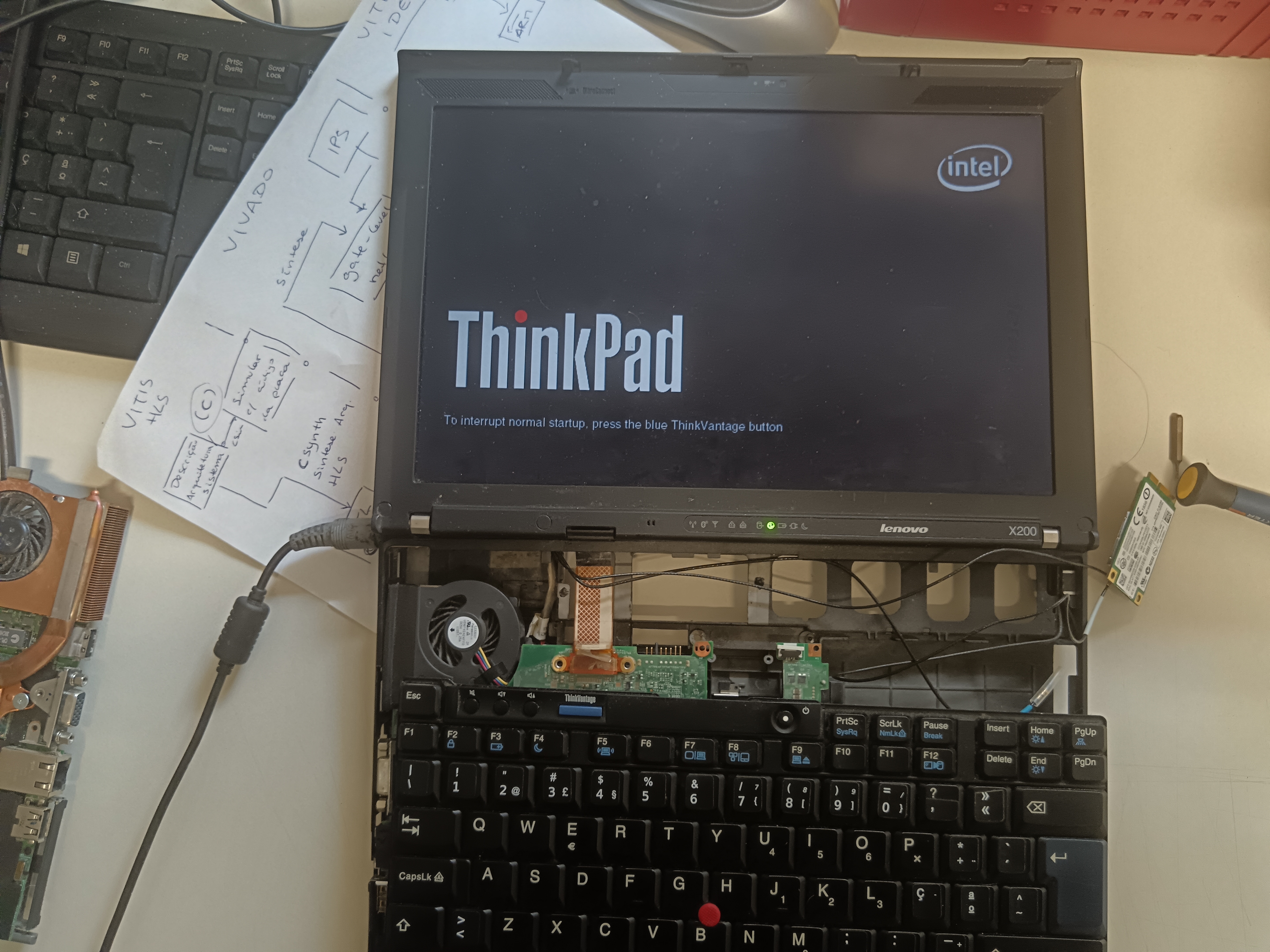
Everything was great-ish! Was I being paranoid? Was I not careful checking different SKUs for the x201?
The great betrayal!
Narrator’s voice: Everything was not great-ish indeed, it was far far worse-ish
Yup, my happiness did not last very long, as an ear-splitting beep rang from the X200 (and a half) speakers.
As it appeared the WiFi card was not on the whitelist…Although I had made sure that the x200 WiFi card was on the x201 whitelist, so that I could use the computer without having to remove the BIOS whitelist, until the new WiFi card arrived.
I then removed the offending peripheral. Everything booted great and, after a simple $\texttt{hostnamectl}$, all became crystal clear:
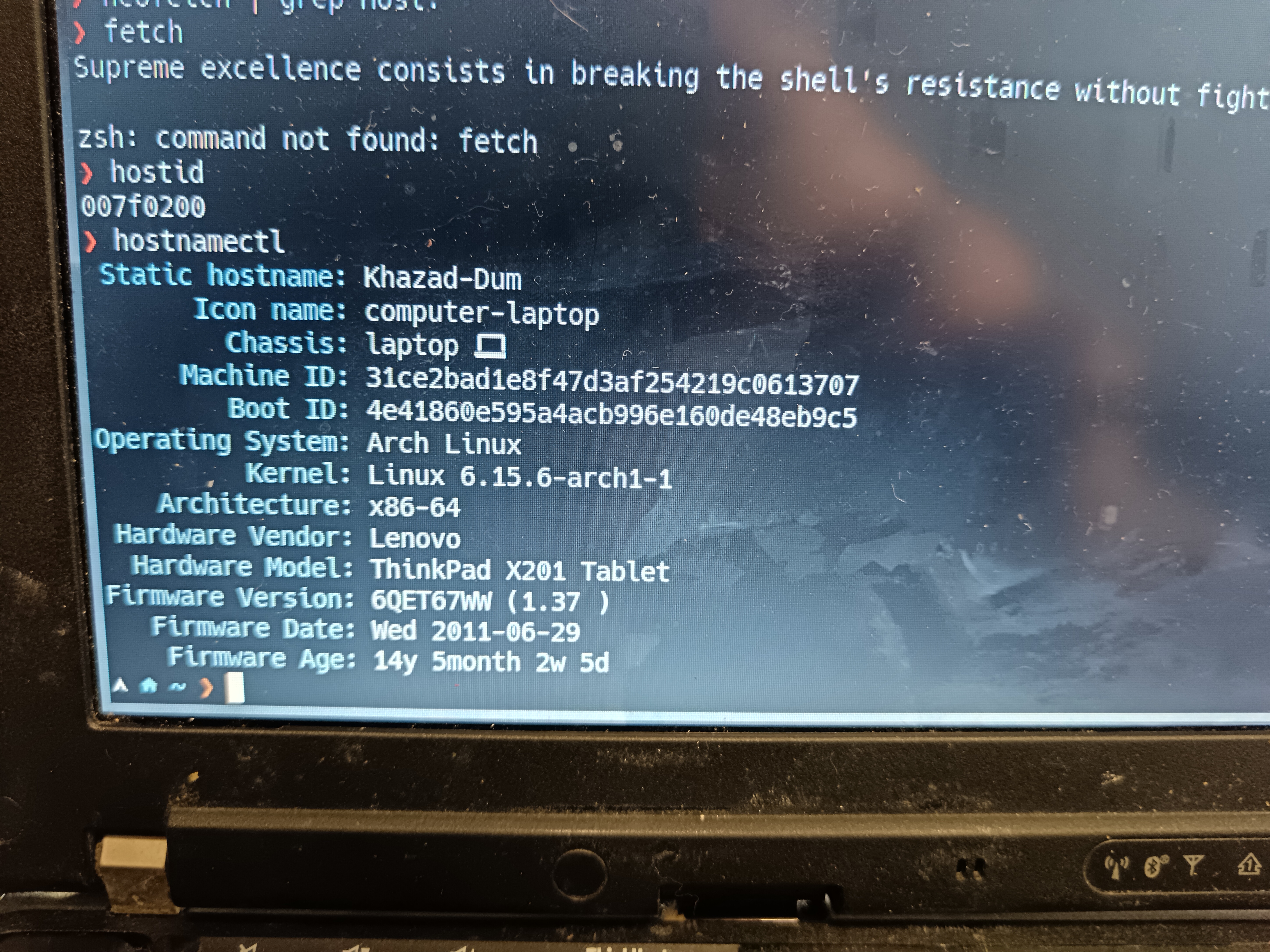
Do you see the problem? I did not have a x201 MoBo, I was sent a X201 tablet MoBo (which is a teensy bit more beefy). Finally all made sense, the disjointed screw holes, the whitelist…
In this day and age a computer without internet access is as good as an unplugged one, and so I had no other choice than to remove the BIOS whitelist.
The Firmware update sub-saga
This process can brick your Computer yadda yadda I have no accountability for turning your PC into a paperweight, do it at your own risk
First of all I want to thank Richard Barnes for his article about installing a new WiFi card on a x201 thinkpad, this section is almost entirely based on it - Thank you RichBits!
I won’t bother you with the details, but basically you have to update the BIOS to the more recent version (using the Lenovo EC - easy enough)

And then run a PHFLASH.EXE to modify the BIOS, to run this flasher you need a DOS system. Richard suggests you use uNetBootin version of FreeDOS, I could not make it work so I just got my image from here
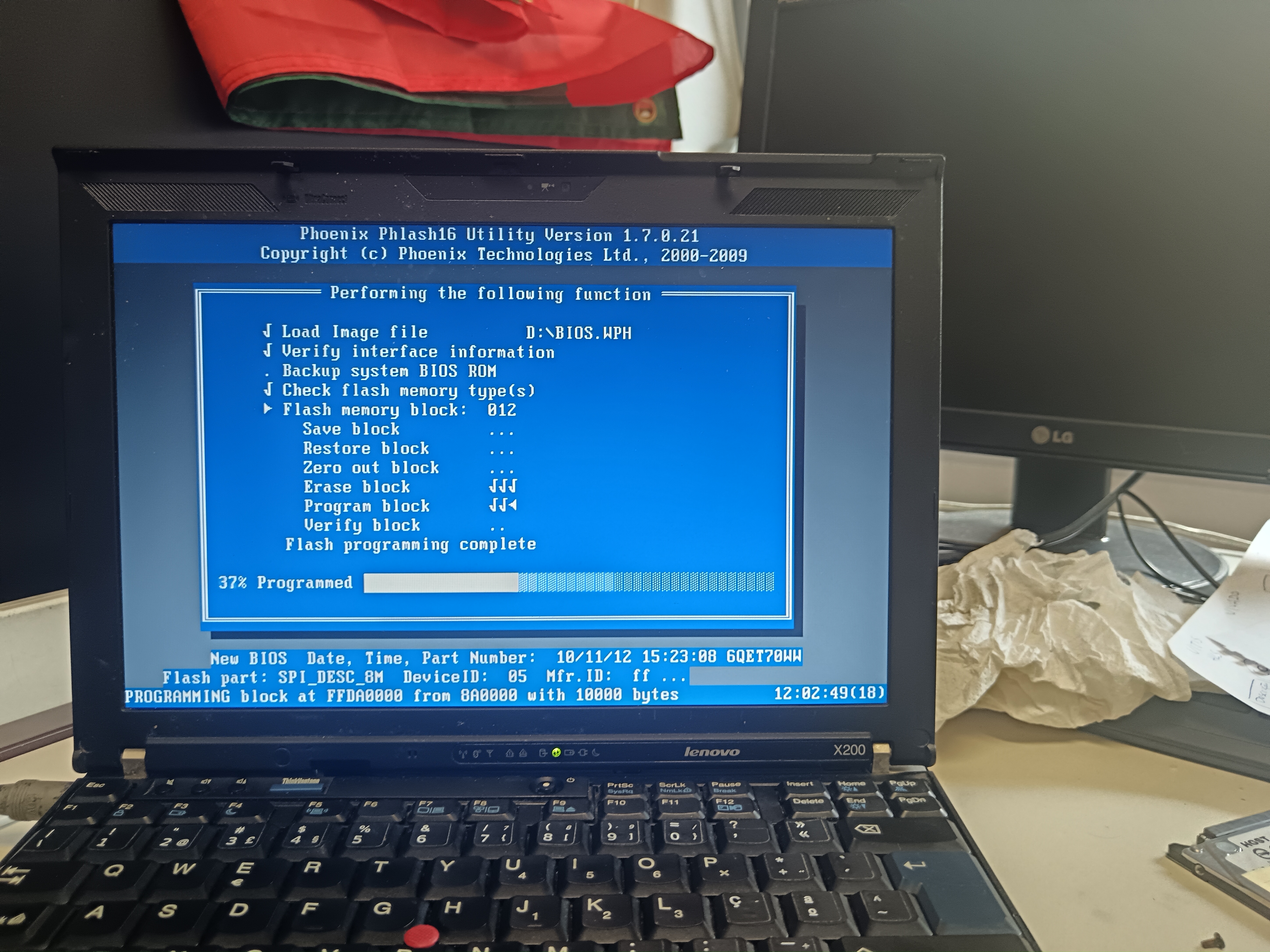
If you reach this stage, everything worked:
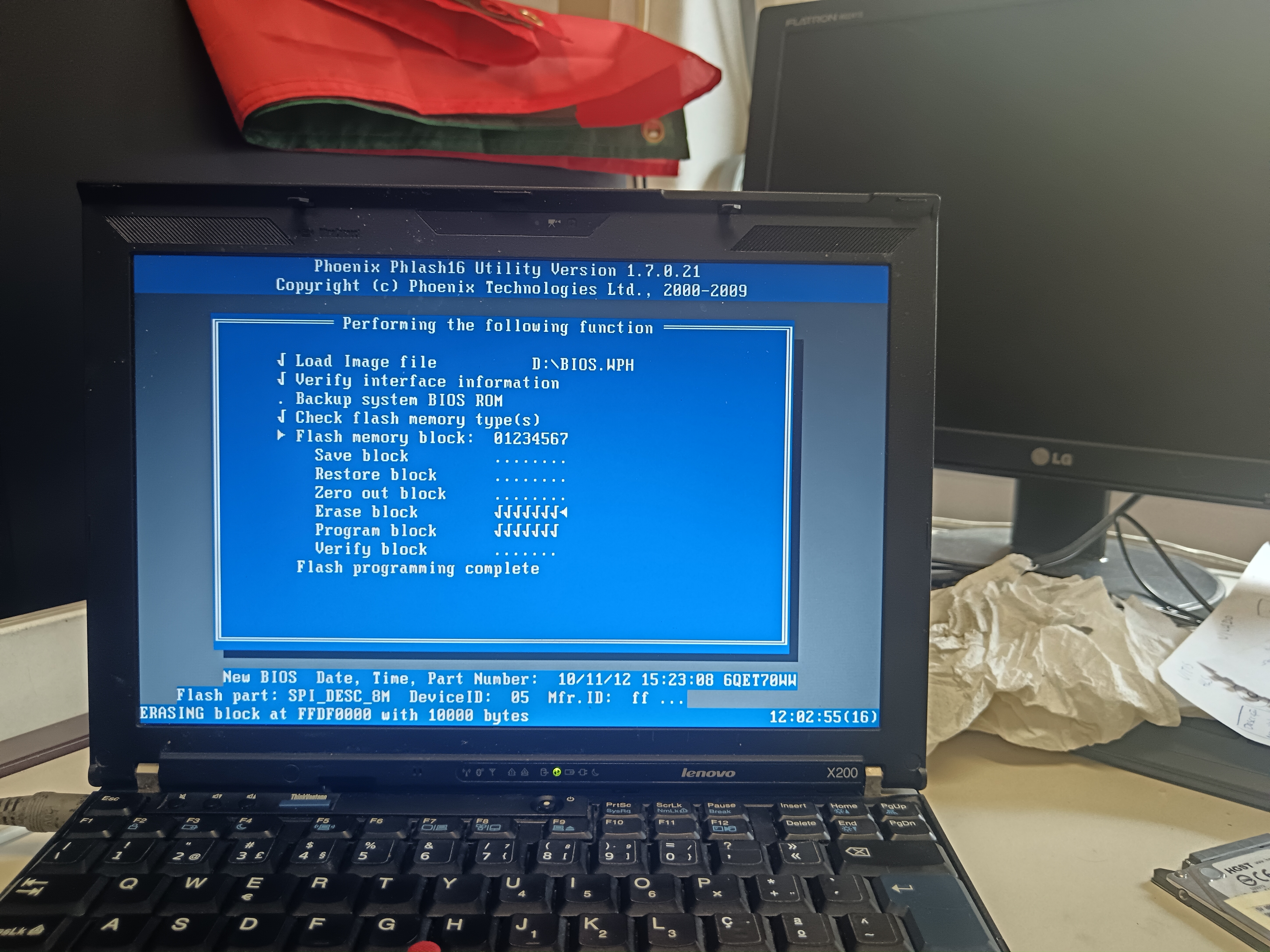
Just an addendum to Rich, this method also worked on the x201t! (Yes I went on it blind, if it did not work, I was ready to get a new MoBo anyway)
Conclusions and the next steps
What did we learn?
Well, primarily do not make the same mistakes as me. Always check SKUs, and overall always be ready for a possible brick-ification of your computer. You’ll always learn from mistakes, painful as they may be. Luckily in the end, all went smooth as I am finishing typing this post on my X200.5 Thinkpad.
And now I have to buy a decent enough battery for it!